Map Navigation
Tools for standard map navigation include the following:
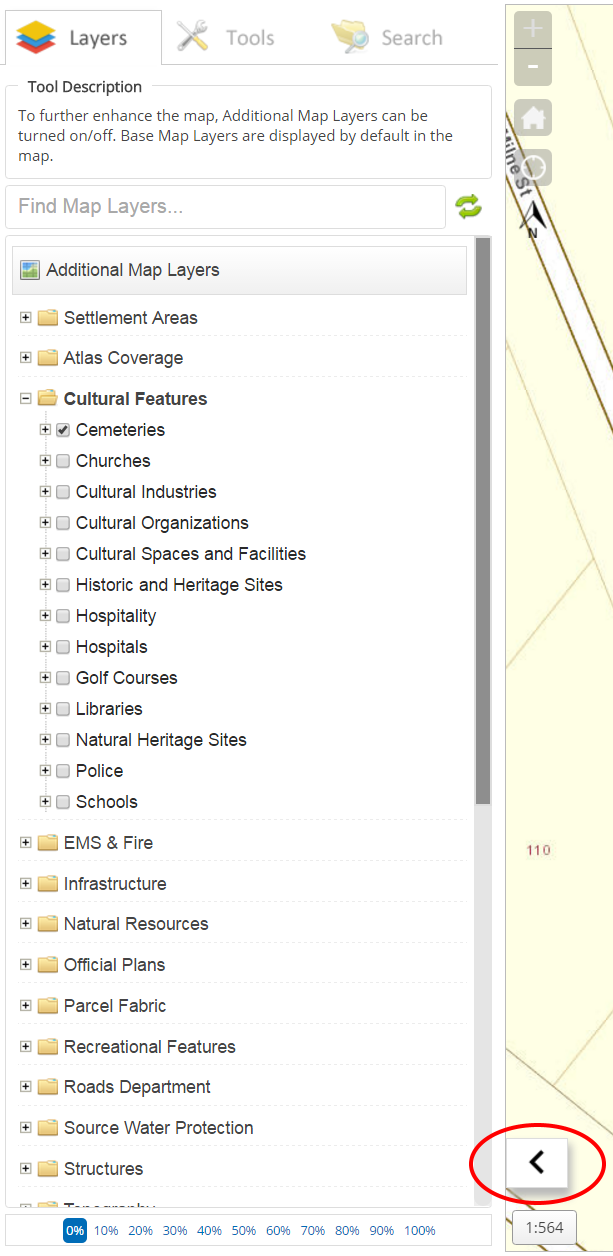
- Zoom in - click the + icon to zoom in to the map at predefined increments or use the scroll wheel located on top of the mouse (if equipped) to zoom into the map extent.
- Zoom out - click the - icon to zoom out of the map at predefined increments or use the scroll wheel (if equipped) to zoom out of the map extent.
- Home - click the "House" icon to reset the map view to its original map extent.
- My Location - click the "My Location" icon to locate the current user GPS position (approximation) on the map

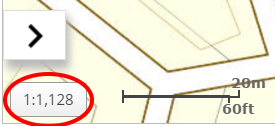
- Map Scale: as the user zooms in and out of the map, the map scale highlighed in red in the image below changes to reflect the current map extent.
- Toggle Side Menu - select the Toggle Side Menu to collapse or expand the menu for easier map navigation. The arrow highlighted in red and pointing to the left in the image below is used to toggle the menu to off.