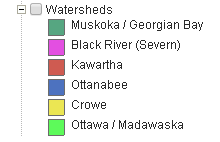
Viewing Layer Symbology
Layer symbology is viewed through the Table of Contents (TOC). This displays what a feature will look like in the map. When the plus sign next to the layer name is selected, a list of available map layers are displayed.
To view the symbology of a map layer in the TOC:
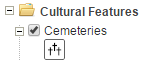
- Select the plus sign to the left of the map layer description. The map layer will expand to display the associated symbology as shown below.
Note: some map layers may have multiple symbols to represent other categories within the map layer. See image below.